 Posted by
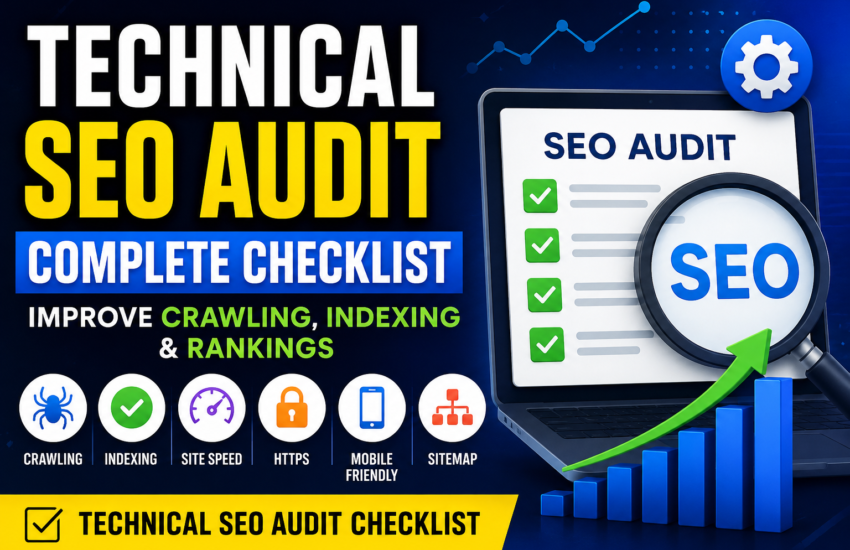
 what is technical seo audit is one of the most important steps you can take to improve your website’s search visibility, organic traffic, and overall performance. Even if you publish excellent content and build quality backlinks, technical problems can prevent search engines from properly crawling, understanding, indexing, and ranking your website.
Technical SEO Audit: The Complete Technical SEO Audit Checklist 2026
A technical SEO audit is one of the most important steps you can take to improve your website’s search visibility, organic traffic, and overall performance. Even if you publish excellent content and build quality backlinks, technical problems can prevent search engines from properly crawling, understanding, indexing, and ranking your website.
If you are wondering what is technical SEO, the answer is simple: technical SEO focuses on improving the technical aspects of a website so that search engines can efficiently access and understand its content while providing a better experience for users.
This complete guide explains technical SEO audit, seo technical audit, technical seo audit checklist, technical audit SEO, technical SEO services, technical SEO tools, website technical SEO, and the difference between on-page SEO and technical SEO.
What Is Technical SEO?
Technical SEO is the process of optimizing the technical foundation of a website to help search engines crawl, index, and understand its pages.
Unlike content SEO, technical SEO is not primarily about writing articles or adding keywords. Instead, it focuses on how your website works behind the scenes.
Technical SEO can include:
- Website crawling
- Website indexing
- XML sitemaps
- Robots.txt
- Canonical URLs
- HTTPS
- Website speed
- Mobile usability
- Core Web Vitals
- Redirects
- Broken links
- Duplicate content
- Structured data
- URL structure
- JavaScript rendering
- Website architecture
A technically healthy website makes it easier for search engines to discover and process your content.
Why Is a Technical SEO Audit Important?
A website can have hundreds or even thousands of pages, and technical problems can remain hidden for months.
A technical SEO audit helps identify problems that may affect your organic search performance.
For example, your website might have:
- Pages that cannot be crawled
- Important pages accidentally marked noindex
- Broken internal links
- Incorrect canonical tags
- Duplicate URLs
- Slow-loading pages
- Mobile usability problems
- Incorrect redirects
- Missing sitemap URLs
- Server errors
- Orphan pages
Finding these problems is the first step toward fixing them.
A technical audit can therefore become an important part of your overall SEO strategy.
SEO Technical Audit vs Technical SEO Audit
You may see both seo technical audit and technical SEO audit used when searching for SEO services or information.
In most practical contexts, they refer to the same general process: examining a website’s technical SEO health and identifying issues that could affect crawling, indexing, performance, or search visibility.
The phrase technical SEO audit is generally the more natural wording, but both terms may appear in search queries.
Complete Technical SEO Audit Checklist
Use the following technical seo audit checklist when reviewing a website.
1. Check Website Crawling
The first step in a technical audit is making sure search engines can crawl your important pages.
Check whether:
- Important pages are accessible
- Internal links work
- Robots.txt is not blocking important content
- Pages do not contain accidental crawl restrictions
- Server errors are limited
- Important resources can be loaded
If search engines cannot access important pages, those pages may struggle to appear in search results.
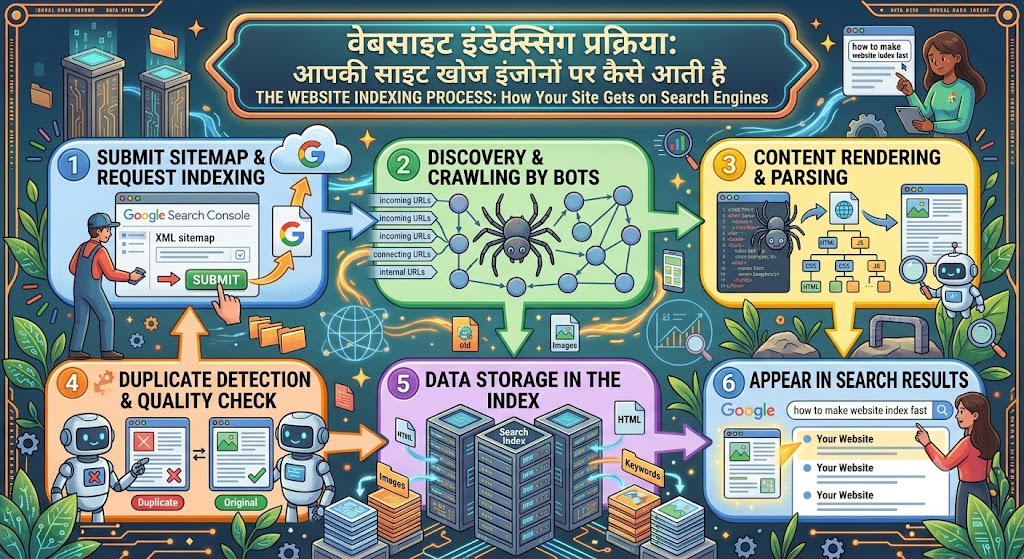
2. Check Website Indexing
Crawling and indexing are different.
A search engine may be able to crawl a page but still decide not to index it.
Check your website for:
- Accidental
noindextags - Incorrect canonical tags
- Duplicate pages
- Soft 404 pages
- Low-value pages
- Indexing errors
- Pages missing from search results
Google Search Console can be particularly useful for identifying indexing problems.
3. Review Your XML Sitemap
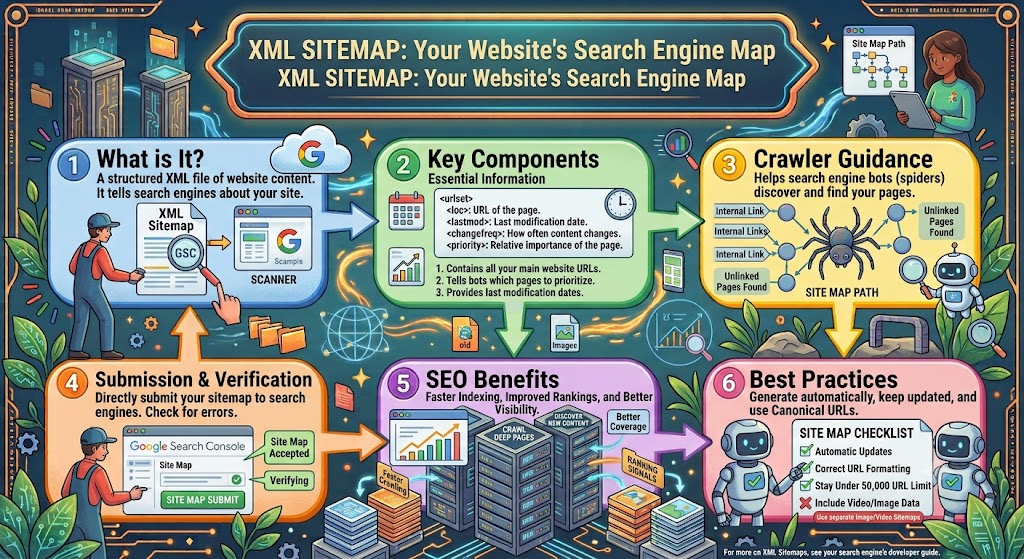
An XML sitemap helps search engines discover important URLs on your website.
Your sitemap should generally contain the URLs you want search engines to consider indexing.
Check that:
- The sitemap exists
- It can be accessed
- Important URLs are included
- Deleted URLs are removed
- Redirected URLs are not unnecessarily included
- Noindex pages are not included
- Sitemap errors are fixed
After making major changes to your website, review the sitemap again.
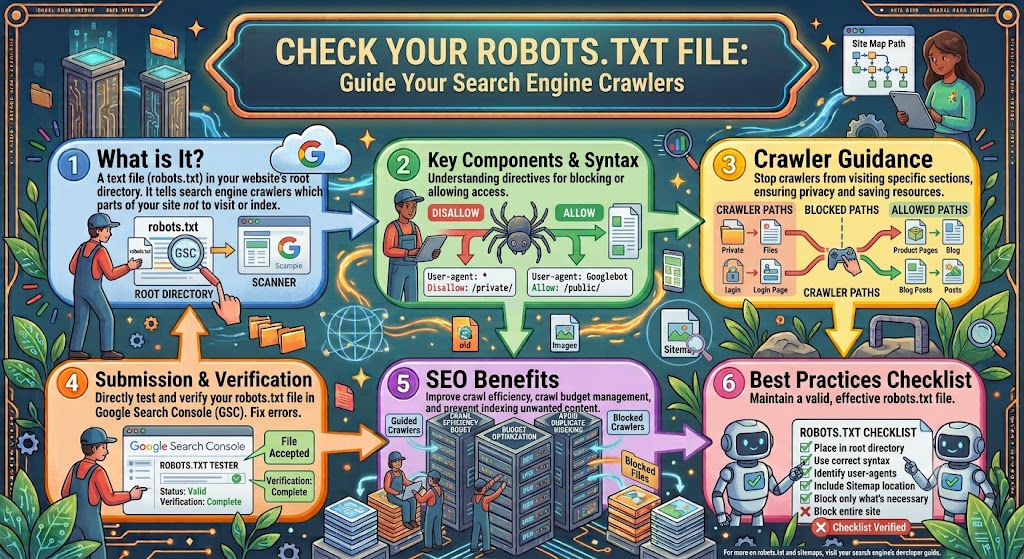
4. Check Your Robots.txt File
The robots.txt file provides crawling instructions to search engine crawlers.
A common technical SEO mistake is accidentally blocking important sections of a website.
Review your robots.txt file and make sure you are not unintentionally blocking:
- Important pages
- Images
- CSS
- JavaScript
- Product pages
- Blog content
- Category pages
A small robots.txt mistake can potentially prevent search engines from accessing important content.
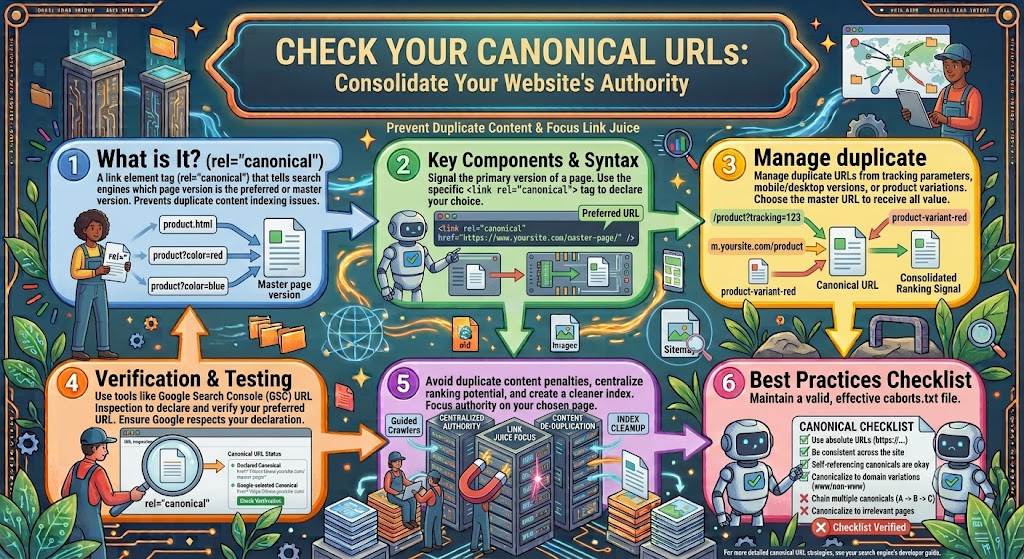
5. Check Canonical URLs
Canonical tags help search engines understand which URL should be treated as the preferred version when multiple URLs contain similar or duplicate content.
For example, a page might be accessible through multiple URL variations.
Check that canonical tags:
- Point to the correct URL
- Use consistent URLs
- Do not point to unrelated pages
- Are not creating unexpected indexing problems
Incorrect canonical implementation is an important item in any technical audit SEO process.
6. Find Duplicate Content
Duplicate content can make it difficult for search engines to determine which version of a page should be prioritized.
Look for:
- Duplicate titles
- Duplicate descriptions
- Similar pages
- URL parameters
- Multiple versions of the same page
- Duplicate category pages
- Printer-friendly URLs
Not every instance of similar content is automatically an SEO problem, but unnecessary duplication should be reviewed.
7. Check Website Speed
Website performance is an important part of technical SEO and user experience.
A slow website can frustrate visitors and make it harder for them to interact with your content.
Check:
- Page loading time
- Image sizes
- JavaScript
- CSS
- Server response time
- Caching
- Third-party scripts
- Mobile performance
Compressing images, improving hosting, reducing unnecessary scripts, and implementing caching can improve performance.
8. Review Core Web Vitals
Core Web Vitals are performance measurements that focus on aspects of the user experience.
They include metrics related to:
- Loading performance
- Interactivity
- Visual stability
Use appropriate Google tools to monitor these metrics and identify pages that need improvement.
Technical SEO is not only about search engines. A faster and more stable website can also create a better experience for real users.
9. Make Your Website Mobile-Friendly
A modern website should work properly on smartphones, tablets, and desktop computers.
Check:
- Font size
- Button size
- Navigation
- Images
- Page layout
- Horizontal scrolling
- Forms
- Mobile loading speed
A page that looks excellent on a desktop computer but is difficult to use on a phone needs improvement.
10. Check HTTPS and Website Security
Your website should use HTTPS.
Check that:
- HTTPS is enabled
- HTTP redirects correctly to HTTPS
- There are no unnecessary mixed-content problems
- Important resources load securely
- SSL certificates are valid
Security and trust are important components of a professional website.
11. Check URL Structure
Your URLs should be simple and descriptive.
For example:
example.com/technical-seo-audit/
is easier to understand than a URL containing unnecessary numbers and parameters.
Good URLs should generally be:
- Descriptive
- Simple
- Readable
- Relevant
- Consistent
Avoid changing URLs unnecessarily.
12. Find Broken Links
Broken links can create a poor experience for visitors and make website maintenance more difficult.
During a technical audit, check for:
- Broken internal links
- Broken external links
- Missing pages
- 404 errors
- Incorrect redirects
Fix important broken internal links and redirect URLs appropriately when necessary.
13. Review Redirects
Redirects are useful when URLs change, but they should be implemented correctly.
Check for:
- Redirect chains
- Redirect loops
- Incorrect redirects
- Temporary redirects used unnecessarily
- Redirects to irrelevant pages
Whenever an old page has a relevant replacement, a properly implemented permanent redirect may help preserve the connection between the old and new URL.
14. Check Internal Linking
Internal links help users and search engines navigate your website.
During your technical SEO audit, look for:
- Orphan pages
- Pages with very few internal links
- Broken internal links
- Important pages buried too deeply
- Excessively long click paths
Create a logical website structure where important pages can be easily discovered.
15. Analyze Website Architecture
Website architecture describes how your pages are organized and connected.
A good structure might look like:
Homepage → Category → Subcategory → Article
For example:
Homepage → SEO → Technical SEO → Technical SEO Audit
This structure helps users understand your website and can make crawling and navigation easier.
16. Check Structured Data
Structured data helps search engines understand specific types of information on a webpage.
Depending on the website, structured data may be appropriate for:
- Articles
- Products
- Organizations
- Breadcrumbs
- Events
- Local businesses
- Reviews
Always use structured data accurately and according to applicable search engine guidelines.
17. Check Image SEO
Images are another important part of website technical SEO.
Large images can slow down pages, while poorly implemented images can create accessibility and usability problems.
Check:
- Image file sizes
- Image dimensions
- File formats
- Alt text
- Lazy loading
- Responsive images
- Image URLs
Use meaningful alt text when an image provides useful information.
18. Check JavaScript SEO
Modern websites often rely heavily on JavaScript.
If important content or links are generated through JavaScript, make sure search engines can properly process them.
Check:
- JavaScript-rendered content
- Navigation links
- Client-side rendering
- Important content hidden behind scripts
- Rendering errors
JavaScript SEO can become particularly important for large websites and modern web applications.
19. Check 404 and Soft 404 Pages
A 404 page appears when a requested URL does not exist.
A useful 404 page should help visitors continue browsing the website.
During an audit, identify:
- Broken URLs receiving traffic
- Internal links pointing to 404 pages
- Important deleted pages
- Soft 404 situations
Do not redirect every missing URL to the homepage without considering relevance.
20. Use Technical SEO Tools
The right technical seo tools can make auditing a large website much easier.
Useful categories of tools include:
- Search performance tools
- Website crawlers
- Page speed testing tools
- Structured data testing tools
- Log analysis tools
- Backlink analysis tools
- Broken-link checkers
- Mobile usability testing tools
For small websites, a combination of Google Search Console, performance tools, and a website crawler may be enough to identify many technical problems.
Larger websites may require more advanced crawling and log analysis.
Technical SEO Services: When Do You Need Them?
Some website owners prefer to perform SEO themselves, while others hire professionals.
Technical SEO services can be useful when a website has complicated technical problems or thousands of pages.
A professional technical SEO service may include:
- Full website crawling
- Indexation analysis
- Technical error detection
- Site architecture analysis
- Speed analysis
- JavaScript SEO
- Schema implementation review
- Sitemap analysis
- Canonical analysis
- Redirect analysis
Before hiring a provider, make sure you understand exactly what is included in the service.
Should You Hire a Technical SEO Agency?
A technical SEO agency may be useful for large websites, ecommerce stores, publishers, SaaS companies, and businesses operating in highly competitive search markets.
However, hiring an agency is not always necessary.
A small website with a few hundred pages may be able to handle many basic technical SEO tasks internally.
If you are considering a technical SEO company, evaluate:
- Experience
- Technical expertise
- Reporting process
- Communication
- Case studies
- Services included
- Pricing
- Long-term strategy
Avoid companies that guarantee a specific Google ranking.
Technical SEO Company vs SEO Consultant
A technical SEO company may have a team covering multiple areas, while an individual SEO consultant may provide more specialized or personalized support.
Your choice should depend on:
- Website size
- Technical complexity
- Budget
- SEO goals
- In-house expertise
The most important factor is not the size of the provider. It is whether they understand your website and can identify and solve real technical problems.
Technical SEO vs On-Page SEO
One of the fastest-growing search topics around technical SEO is on page seo vs technical seo.
You may also see the query technical seo vs on page seo.
So what is the difference?
On-Page SEO
On-page SEO focuses primarily on the content and elements visible on a webpage.
Examples include:
- Keywords
- Titles
- Headings
- Content
- Internal links
- Images
- Meta descriptions
- Search intent
Technical SEO
Technical SEO focuses on the technical foundation of the website.
Examples include:
- Crawling
- Indexing
- Site speed
- Mobile usability
- Canonicals
- XML sitemaps
- Robots.txt
- Redirects
- Structured data
- Website architecture
Both are important.
A website can have excellent content but poor technical SEO. Likewise, a technically perfect website can struggle if its content does not satisfy search intent.
The strongest SEO strategy combines technical SEO, on-page SEO, content quality, and authority.
Technical SEO Certification and Training
Another growing topic is technical seo certification.
Learning technical SEO can be useful for website owners, marketers, developers, and SEO professionals.
A good learning path should cover:
- Crawling
- Indexing
- HTML basics
- HTTP status codes
- JavaScript
- XML sitemaps
- Robots.txt
- Canonical tags
- Structured data
- Page performance
- Mobile SEO
- Website architecture
Certification can demonstrate that someone has completed training, but practical experience and the ability to solve real website problems are equally important.
Technical SEO Specialists
Large websites may benefit from working with technical seo specialists.
A technical SEO specialist typically focuses on the technical side of organic search and may work closely with:
- Developers
- Content teams
- Designers
- Marketing teams
- Product teams
Technical SEO specialists can help identify problems that are difficult to notice through normal content optimization.
Technical SEO Interview Questions
If you are preparing for an SEO job, learning common technical seo interview questions can help.
Some examples include:
What is technical SEO?
Technical SEO is the optimization of a website’s technical infrastructure to improve crawling, indexing, accessibility, performance, and search visibility.
What is a canonical tag?
A canonical tag tells search engines which URL is the preferred version when similar or duplicate URLs exist.
What is robots.txt?
Robots.txt provides crawling instructions to search engine bots.
What is an XML sitemap?
An XML sitemap lists important URLs to help search engines discover website content.
What is the difference between 301 and 302 redirects?
A 301 redirect is generally used for a permanent URL change, while a 302 is generally used for a temporary change.
What is an orphan page?
An orphan page is a page that has no internal links pointing to it from other pages on the website.
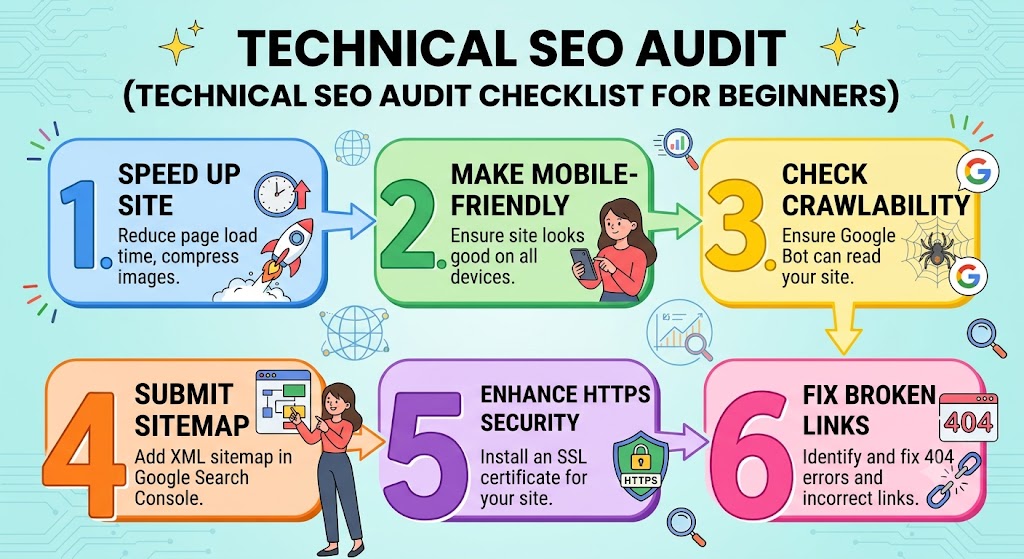
Technical SEO Audit Checklist for Beginners
If you are new to SEO, start with this simple technical seo audit checklist:
- Check HTTPS
- Check website indexing
- Review robots.txt
- Check XML sitemap
- Find broken links
- Check 404 errors
- Review redirects
- Check canonical tags
- Test mobile usability
- Check website speed
- Review Core Web Vitals
- Check duplicate pages
- Review internal links
- Check structured data
- Optimize large images
- Check important pages for noindex tags
- Review website architecture
- Monitor Google Search Console
This checklist can be used as a starting point for almost any website.
What About Other Google Trends and Rising Search Queries?
Google Trends can reveal interesting changes in search behavior. However, not every rising query belongs to the same SEO topic.
For example, searches such as best laptops 2025, coffee shops nearby, and book recommendations represent completely different search intents.
This is an important lesson for SEO professionals:
Do not create one article simply because unrelated keywords are trending.
Instead, organize keywords according to topic and search intent.
For example:
Technical SEO cluster
- technical seo audit
- seo technical audit
- technical seo audit checklist
- technical audit seo
- what is technical seo
- website technical seo
- technical seo tools
- technical seo services
- technical seo service
- technical seo agency
- technical seo company
- technical seo certification
- technical seo specialists
- technical seo interview questions
- on page seo vs technical seo
- technical seo vs on page seo
These keywords naturally belong to the same topic cluster.
Meanwhile, coffee shops nearby, book recommendations, and best laptops 2025 should generally be treated as separate content opportunities.
What Are Backlinks?
How Often Should You Perform a Technical SEO Audit?
There is no universal schedule that works for every website.
A small website may perform a comprehensive audit periodically and monitor important issues continuously.
A large ecommerce or publishing website may need more frequent monitoring because thousands of URLs can change regularly.
You should also consider performing an audit after major changes such as:
- Website redesign
- Domain migration
- HTTPS migration
- CMS migration
- Major URL changes
- Large-scale content removal
- Major JavaScript changes
- Hosting changes
Final Technical SEO Audit Checklist
Before considering your audit complete, review these areas:
| SEO Area | What to Check |
|---|---|
| Crawling | Important pages can be crawled |
| Indexing | Important pages can be indexed |
| Sitemap | Correct URLs are included |
| Robots.txt | Important resources are not blocked |
| Canonicals | Preferred URLs are correct |
| Redirects | No unnecessary chains or loops |
| 404s | Important broken pages are addressed |
| Speed | Pages load efficiently |
| Mobile | Website works properly on mobile |
| HTTPS | Website is secure |
| Internal Links | Important pages are connected |
| Architecture | Website structure is logical |
| Images | Images are optimized |
| Structured Data | Relevant markup is accurate |
| JavaScript | Important content can be processed |
| Content | Pages satisfy search intent |
Conclusion
A technical SEO audit is the foundation of a healthy SEO strategy. It helps you identify technical problems that can prevent search engines from properly crawling, indexing, and understanding your website.
If you are asking what is technical SEO, remember that it is much more than fixing a few website errors. It involves creating a technically sound website with strong architecture, fast performance, mobile usability, clean URLs, proper indexing, structured data, and an effective internal linking system.
Whether you perform the work yourself, use technical SEO tools, hire technical SEO services, or work with a technical SEO agency, the goal should remain the same: make your website easier for search engines to understand and easier for users to use.
Start with the technical seo audit checklist, fix the most important problems first, and then continue monitoring your website over time. Combined with strong content and on-page SEO, technical SEO can provide a solid foundation for long-term organic search growth.